

New Roku App 'Pevac Digital Signage' Transforms Any TV into a Powerful Digital Signage Display
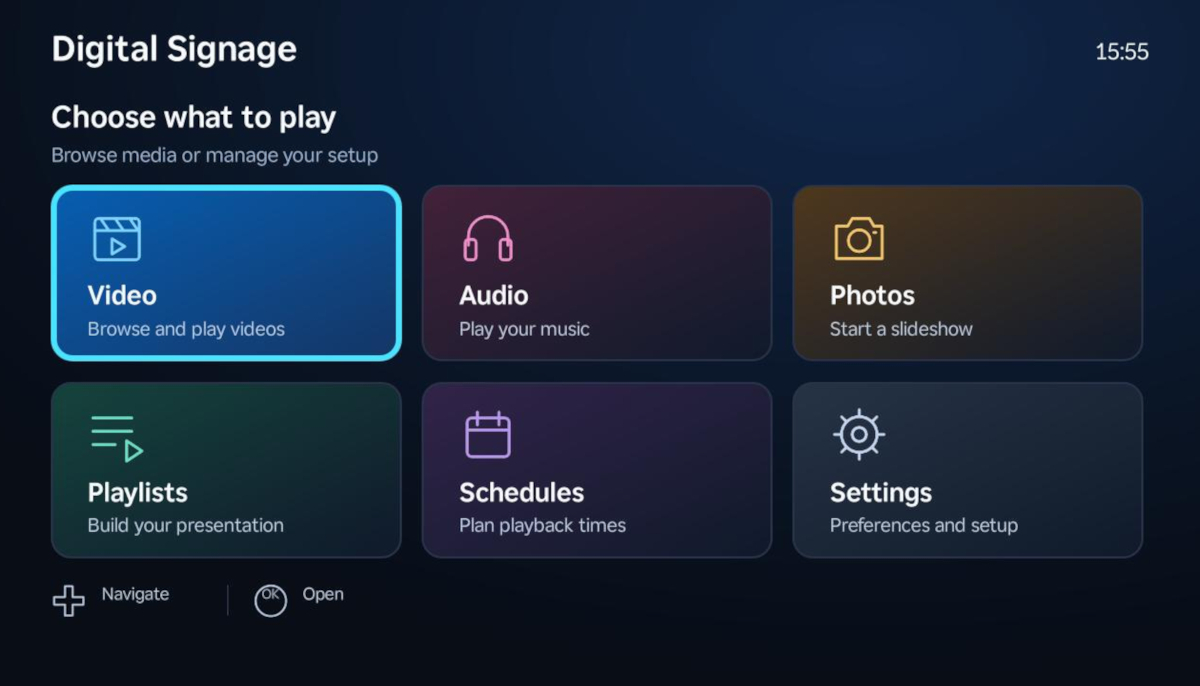
Pevac digital signage Roku app
Transform any Roku TV into a powerful, affordable digital signage display with the new Pevac app. Cloud-based screen management is now easier than ever.
LOS ANGELES, CA, UNITED STATES, September 30, 2026 /EINPresswire.com/ -- Pevac Digital Signage brings menus, promotions, announcements and other screen content to Roku, giving businesses a practical way to turn everyday televisions into digital displays. Designed for restaurants, retailers, schools and offices, the app works with compatible Roku TVs and Roku players connected to televisions with an HDMI input.Instead of investing in a dedicated signage system, businesses can use familiar Roku hardware to present their content. Photos, videos and audio can come from Google Drive or a compatible USB drive, while playlists and playback schedules are managed directly in the app using the Roku remote.
For a cafe, that could mean switching from a breakfast menu to lunchtime specials. A retailer could rotate product promotions throughout the day, while a school or reception area could display announcements alongside background music.
FLEXIBLE CONTENT SOURCES
Pevac Digital Signage supports both Google Drive and USB media. Businesses choosing Google Drive place their supported files in a folder named "PevacDigitalSignage", keeping content together in a familiar location. The app displays folders and files so users can browse and select what to play.
Google Drive is optional. On Roku hardware with a compatible USB port, users can play supported files from attached storage without linking a Google account. USB playback reduces dependence on streaming media over the network, although an internet connection is still needed for account setup and subscription verification. Google Drive playback requires internet access.
PLAYLISTS BUILT AROUND YOUR DISPLAY
Users can organize videos and photos into playlists, set how long images remain on screen and choose the playback order. Audio playlists can provide background music during photo playback; the music pauses for videos and resumes when photos return.
Fit and Fill options help adapt images to the display. Fit preserves the entire photo, while Fill crops it to cover the screen without stretching. Individual photos can also be opened for full-screen viewing.
WEEKLY SCHEDULING AND STARTUP PLAYBACK
Weekly schedules let businesses assign playlists to selected days and time slots, using the Roku device's local time. This makes it straightforward to tailor screen content to opening hours, meal periods or recurring activities.
A startup playlist can begin after a short countdown when the app opens. Where configured, scheduled playback takes priority. These features automate playback inside the app; they do not switch on the television or launch the app from the Roku home screen.
SUPPORT FOR MULTIPLE DISPLAYS
Subscription tiers let customers choose a device allowance suited to their needs. Account and device controls help manage the Roku devices registered to the shared account.
For businesses setting up additional displays, export and import tools allow playlists, schedules and supported settings to be transferred between Roku devices. This is a manual setup transfer rather than live remote publishing, and the receiving device must have access to the required media.
The app also follows Roku's system language, with support for English, German, Canadian French, Spanish and Brazilian Portuguese.
GETTING STARTED AND PRICING
To get started, install Pevac Digital Signage on a compatible Roku device, complete the account-verification steps and select an available subscription through Roku Pay. Then choose USB media or follow the pairing process to connect Google Drive.
Plans start at $4.99 per month for one device, with a 30-day free trial on eligible plans. Monthly and annual options are available for supported tiers; current prices, availability and subscription terms are shown during Roku checkout.
Learn more about features, setup and supported devices at Pevac Digital Signage official web page or Roku Channel Store.
ABOUT PEVAC DIGITAL SIGNAGE
Pevac Digital Signage is a Roku app for presenting business and informational content on compatible televisions and streaming players. It combines USB and Google Drive media playback with playlists, weekly scheduling and shared-account device management, helping organizations make better use of the screens they already own.
Igor Sestanj
Pevac DevOps
email us here
Legal Disclaimer:
EIN Presswire provides this news content "as is" without warranty of any kind. We do not accept any responsibility or liability for the accuracy, content, images, videos, licenses, completeness, legality, or reliability of the information contained in this article. If you have any complaints or copyright issues related to this article, kindly contact the author above.
